
Split summary, new split and history, the core of Tipza.
02 Snapshot
- Role
- Designer and builder, end to end
- Team
- Just me, with Cursor, Codex, Claude and Grok Bot
- Timeline
- Side product, live on both stores in 2026.
- My contribution
- Research, tokens, design system, UI, React Native code and the store launch
Top results
- 01Live on iOS and Android, in English and German
- 02Featured on Product Hunt
- 03Free to start, with an optional Pro plan
03 Why it exists
Fair tips, no drama.
My partner works in hospitality. Every time her team split tips, the same debate came back: who worked longer, who is still a trainee, who rounds what. The maths was never the hard part. Agreeing on it was.
That became the brief: a split everyone can see, check and trust.
So Tipza is a calculator and a record. A shift lead adds the total, picks how to split it, and the whole team sees the hours, the rate and their own share. It never touches the money. Payments, payroll and tax stay with the team and the employer.


04 Research
What already exists
I reviewed other tip apps and the spreadsheets teams already use, and watched tips being split in real cafés and bars. What I saw was simple: teams needed a clear calculator and a shared record, not another payments tool.
That decided what Tipza would not do.
No payments. It records the splits you enter and doesn’t collect, hold or send funds.
No POS integration and no IT setup. A shift lead can set it up tonight.
Clear for both sides. The person running the split and the people receiving it read the same breakdown.
05 Visual language
Tokens first
Before any screen, I defined the visual language as Figma variables: a warm neutral scale instead of grey, a green and a yellow from the brand, Space Grotesk for display and Figtree for reading.
Primitives feed a semantic layer named by role, so a button asks for action primary, never a hex code. Spacing and radius follow the same t-shirt scale, from 2xs to 8xl.
- core variables: colour scales, type, spacing and radius
- 145
- semantic variables, named by role: action, base, border, control, icon, text
- 122
- typefaces: Space Grotesk and Figtree
- 02
Colour
Core scales. Green 20 and Neutral 99 carry the brand.Green
12 steps
- 01#b3f7dd
- 05#2bda98
- 10#06bc78
- 20#02925c
- 30#027a4d
- 40#02643f
- 50#025032
- 60#013c25
- 70#012819
- 80#011e13
- 90#01140d
- 99#000a06
Neutral
15 steps
- 00#ffffff
- 01#f3ede8
- 05#eee5dd
- 10#ebe0d6
- 20#e4d5c9
- 30#ddcabb
- 40#d1b7a3
- 50#c19d81
- 60#b88f70
- 70#8f6647
- 80#583f2c
- 90#332519
- 95#221811
- 99#0a0705
- 100#000000
Orange
12 steps
- 01#ffc8b8
- 05#ffa285
- 10#ff7b52
- 20#ff5b29
- 30#ff3c00
- 40#d63300
- 50#ad2900
- 60#8f2200
- 70#6b1900
- 80#421000
- 90#240900
- 99#0f0400
Red
12 steps
- 01#ffd6de
- 05#ffb2c0
- 10#ff8a9f
- 20#ff5775
- 30#ff294f
- 40#f0002b
- 50#bd0023
- 60#99001c
- 70#660012
- 80#4d000e
- 90#3d000b
- 99#240006
Blue
12 steps
- 01#cae7fc
- 05#a3d5fa
- 10#73bff8
- 20#2fa0f4
- 30#0c83da
- 40#0860a0
- 50#074e83
- 60#053d66
- 70#042944
- 80#032035
- 90#021a2c
- 99#010f18
Type
Space Grotesk for display, Figtree for reading.Space Grotesk
All slices served!
Display 4xl · 40/40
All slices served!
Display 3xl · 32/32
All slices served!
Display 2xl · 24/32
All slices served!
Display xl · 20/26
All slices served!
Display lg · 18/24
All slices served!
Display md · 16/20
Figtree
Everyone sees the hours, the rate and their share.
Body md · 16/24
Everyone sees the hours, the rate and their share.
Body md semibold · 16/24
Everyone sees the hours, the rate and their share.
Body sm · 14/20
Everyone sees the hours, the rate and their share.
Body sm medium · 14/20
Everyone sees the hours, the rate and their share.
Body xs · 12/14
Spacing
In pixels.- none0
- 2xs2
- xs4
- s6
- m8
- l12
- 2xl16
- 4xl20
- 5xl24
- 6xl32
- 7xl40
- 8xl48
Radius
In pixels.- xs4
- m8
- l12
- 2xl16
- 5xl24
- 6xl32
- pill9999
Semantic layer
Named by role. Each one points at a core token.- action/color/primary/enabledcolor/neutral/99 · #0a0705
- action/color/tertiary/enabledcolor/orange/20 · #ff5b29
- base/color/flatcolor/neutral/01 · #f3ede8
- text/color/secondarycolor/neutral/70 · #8f6647
- text/color/successcolor/green/30 · #027a4d
- icon/color/dangercolor/red/40 · #f0002b
- daterange/color/enabledcolor/green/20 · #02925c
06 Components
Built by hand
I designed the foundations and every component myself: pill buttons in three colours, three sizes and four states, form fields, calendar ranges, team cards, drawers and a small set of illustrations. Each one reads only from tokens.
Variants carry the sizes and states, and every colour and radius is bound to a variable. Change a token and the library follows.
A playful pizza motif runs through the app: slice icons, a split-pizza illustration and a result screen that says “All slices served!”
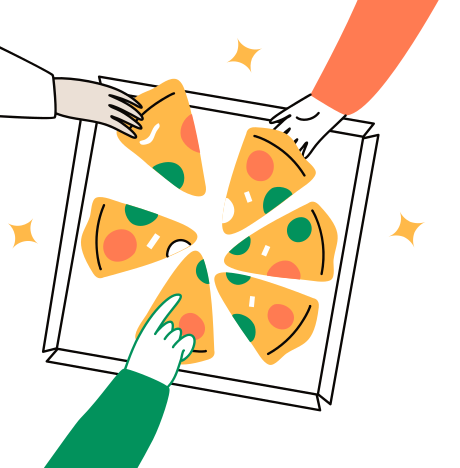 Split-pizza illustrationOne of a small set
07 Design to code
From Figma to code
Tokens Studio exports the variables to JSON, and that file feeds both the Figma file and the React Native app. Figma MCP gave Codex and Claude the context of each screen, and I built it all in Cursor with Expo.
I coded it alone. Vibe coding is fast, but some nights it’s just you, an AI and a very confident linter.
- Step 1Figma variablesCore and Semantics collections
- Step 2tokens.jsonExported with Tokens Studio
- Step 3React Native appBuilt in Cursor with Expo
{
  "action.primary.enabled": "{color.neutral.99}",
  "special.green": "{color.green.20}",
  "color.neutral.99": "#0a0705",
  "color.green.20": "#02925c",
  "spacing.2xl": 16,
  "radius.pill": 9999
}08 Screens and flows
One split, four steps
Add the total, pick the dates, add the team, then review and share. Split equally, by hours, by points or your own way. The team list carries over between splits, and leftover change can roll to the next shift.
- 01
Add the total
Type the tips for the shift. Round up if you like, and the change is saved until next shift.
- 02
Pick the dates
One day or a date range, with an optional tag for morning, evening, weekend or event shifts.
- 03
Add the team
Hours or points per person. The roster carries over, so the next split starts half done.
- 04
Review and share
Everyone sees the hours, the rate and their share. Every split is saved in a calendar history.
1. Add the total
2. Pick the dates

3. Add the team
4. Review and share
09 Testing and iteration
Tested, then refined
I put working builds in front of hospitality staff and changed what didn’t land. Three changes came straight out of it.
Points for trainees. Not everyone on a shift carries the same load, so each team member has points. There is a 5-point option for trainees.
Swipe to confirm. A swipe now confirms each split.
Shift tags. Optional tags tell a busy weekend from a quiet Tuesday.

Points for trainees
Swipe to confirm
Shift tags
10 Free and Pro
Free to start, Pro to grow.
The app is free to download. Free covers all four split methods, shareable breakdowns, saved history and up to three team members per split.
Pro unlocks the fourth team member onward, plus Pro Insights: tip trends over 30 days, 3 months and 12 months, tips per hour, a comparison across shift types, and priority support. Pro is an in-app purchase.

- All four split methods
- Shareable breakdowns
- Saved history
- Up to 3 team members per split
- Everything in Free
- The 4th team member onward
- Pro Insights: tip trends, tips per hour, shift comparison
- Priority support
The app is free to download. Pro is an in-app purchase.
11 Shipped
Live on both stores
Tipza is live on the App Store and Google Play in English and German, with its own website and blog, and it was featured on Product Hunt (opens in new tab). Grok Bot helped with the marketing and the deployment.


12 What’s next
Next, an assistant
An AI assistant to log a split in one sentence and turn history into insight.
Fair tips for your team, today.
Free to download on iOS and Android, in English and German.